
Why Website Updates Don’t Show Up Right Away: A Simple Guide to CDN Caching
Why website changes don’t always appear instantly.
This is something almost every client runs into at some point, and once you understand how caching works, it all makes a lot more sense.
What Is a CDN and Why Does It Matter?
Modern websites use something called a Content Delivery Network (CDN). In simple terms, a CDN stores copies of your website’s files in multiple places to help it load faster.
Those places include:
-
Your hosting server (GoDaddy, Bluehost, Network Solutions — the part we can control)
-
Internet Service Providers (ISPs) like Comcast or Verizon (the part we cannot control)
-
Your personal devices (computers, phones, tablets)
Because your website exists in all these locations at once, updates need time to reach every layer.
What Happens When I Update Your Website?
When I make a change, I immediately clear the cache on the hosting server. This tells the CDN and ISPs that new files are available.
However, ISPs don’t always update their cached copies right away. Some refresh quickly, while others can take up to 48 hours to catch up. That delay is completely normal — and completely out of our control.
The Final Step: Your Device Cache
Even after the hosting server and ISPs update, your own device may still be showing an older version of the site.
To see the latest changes, you may need to:
-
Clear your browser cache
-
Try a different browser
-
Check from another device
This last step is often the missing piece. Many clients don’t realize their device is still holding onto old files.
You’re Not Alone — This Happens to Everyone
Caching issues are one of the most common points of confusion in web development. Nothing is broken — it’s just the nature of how modern websites deliver content quickly and efficiently.
And of course, if you ever have questions or want me to double‑check something, I’m always here to help.
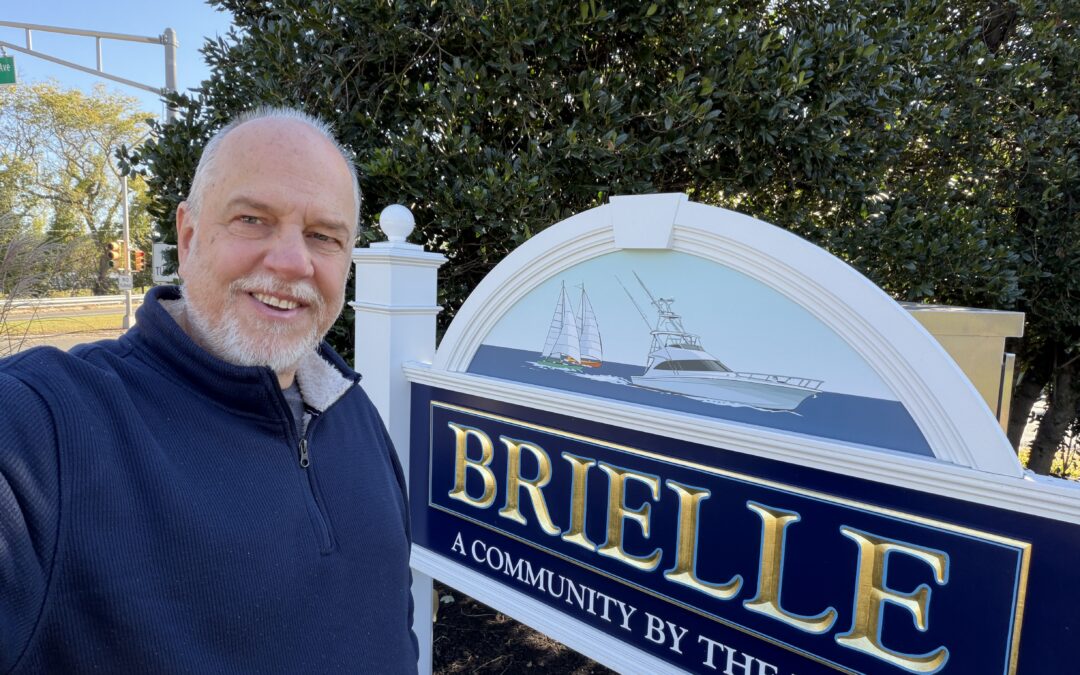
The Graphics Guy Leaves His Mark on Brielle: Robert Hazelrigg Designs New Welcome Sign at Route 35 & Higgins Avenue
Robert Hazelrigg, better known as The Graphics Guy, has added another municipal branding project to his portfolio after being commissioned by the Borough of Brielle to design the artwork for a new welcome sign at Route 35 and Higgins Avenue. Building on the success of his acclaimed Ocean Township logo design, Hazelrigg created a visual identity that celebrates Brielle’s waterfront heritage, local landmarks, and strong sense of community.

Breakfast & Business: Meet Robert Hazelrigg, The Graphics Guy, in Oakhurst
Get to know Robert Hazelrigg, better known as The Graphics Guy, at Breakfast & Business in Oakhurst. With decades of experience in branding, graphic design, website development, and marketing strategy, Robert helps businesses create powerful visual identities and grow their presence both online and offline. Discover the expertise, creativity, and community involvement that make him a trusted resource for local businesses.